If you are looking for Latest Hostinger discount coupon For October 2026, a coupon alone is not enough to get the lowest price. You must choose the right plan for your project, otherwise you may overpay or buy a plan you don't need.
In this guide, we review Hostinger’s three plans: shared hosting, VPS, and cloud hosting, with current offer and renewal prices, and explain who each plan is suitable for, and its advantages and disadvantages frankly, so that you can choose with confidence.
Latest Hostinger discount coupon
Open Hostinger and get the offer
How to activate the latest Hostinger discount coupon step by step
- Open the Hostinger website from This linkThis step is essential to registering the offer on your account.
- Choose your hosting type, then your plan and subscription duration. The longer the subscription period, the lower the monthly price.
- Click on the plan selection and create your account or log in.
- Enter the coupon on the payment page 1ABDELRAHM832 Enter the discount code in the field and press Apply.
- Check the final total and then complete the payment.
Why is buying through a link cheaper than buying directly?
The prices shown are the promotional prices when you access Hostinger through the link provided here and apply the coupon. If you access the site directly via search or by typing the address into your browser, you may find a higher price for the same plan, and the additional coupon discount may not be displayed. The difference may seem small monthly, but it multiplies with a 24- or 48-month subscription.
Therefore, it is always best to start with the link, then enter the coupon, and then compare the total on the payment page.
Why Hostinger? Warranty, support, hPanel, and server speed.
30-day money-back guarantee
Hostinger gives you 30 days to try the service yourself. If the hosting doesn't suit you, you can request a refund within this period. This reduces the risk of a long-term subscription, which is important for beginners who aren't yet sure how much they need. Check the refund policy before purchasing, as some add-ons, like domains, have specific rules.
24-hour technical support
Technical support is available via live chat at any time, and the plans presented here include priority support. This is helpful if you encounter a website problem or need assistance with domain registration or SSL certificate installation.
hPanel: Simplicity and Power
Hostinger uses its own control panel called hPanel instead of cPanel. It is modern, fast, and easy for beginners, and it brings together all of the following in one place:
- Website, domain, and email management.
- Install WordPress in just a few clicks.
- Managing and restoring backups.
- File and database manager and resource consumption monitoring.
- Arabic language support in the interface.
Server speed
Hostinger's plans rely on SSD and NVMe storage and include a CDN to accelerate your website's delivery to visitors in different regions. Data centers are available on multiple continents, allowing you to choose a location closer to your audience. Speed directly impacts the visitor experience and Core Web Vitals, which are used in Google's page rankings, but remember that website speed also depends on the quality of your theme, plugins, and images.
Quick guide: Which plan is right for you?
| Your condition | Proposed plan | the reason |
|---|---|---|
| One blog or personal website | Premium | Lowest price with a free domain for one year |
| Multiple sites or customer sites | Unlimited | Unlimited sites and daily copies |
| Medium-sized online store | Unlimited أو Cloud Startup | Better resources and higher speed |
| A large website with high traffic | Cloud Professional أو Enterprise | Dedicated resources and more processing |
| Running n8n, Docker, or special applications | VPS KVM 1 or KVM 2 | Full access to the server |
Shared hosting: The best start at the lowest cost
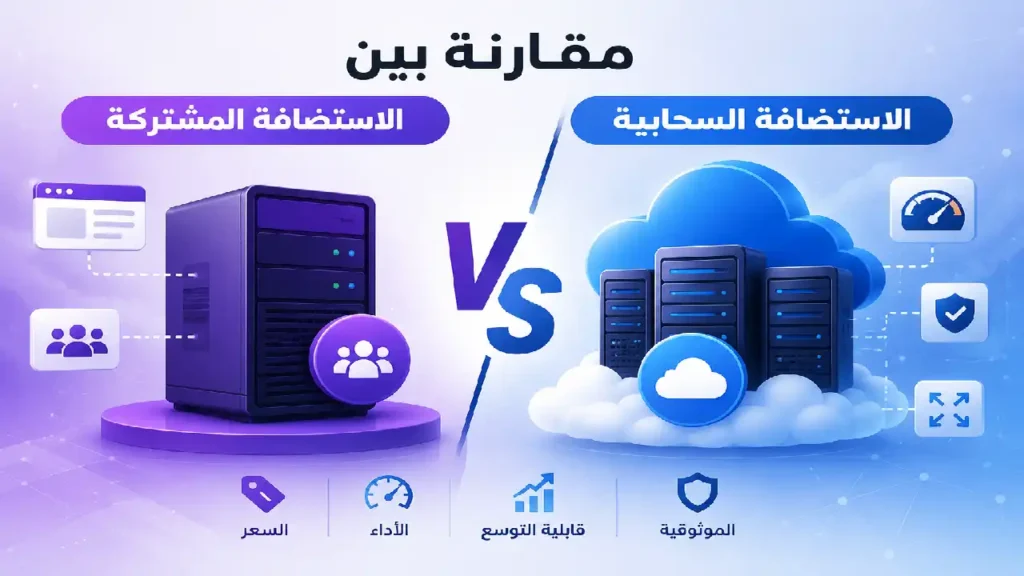
Shared hosting is the most popular option for new websites. Your site shares resources with other sites on the same server, which is why it's relatively inexpensive. It's suitable for WordPress sites, blogs, informational sites, and small shops. Hostinger offers two main plans: Premium and Unlimited, both currently available for 48 months.
| Feature | Premium | Unlimited |
|---|---|---|
| Original price | $11.99 per month | $18.99 per month |
| Offer price (48 months) | $2.99 per month (75% discount) | $3.99 per month (79% discount) |
| Total 48 months | $143.52 (instead of $575.52) | $191.52 (instead of $911.52) |
| Renewal price | $10.99 per month | $16.99 per month |
| Number of sites | 3 sites | unlimited |
| Storage | 20 GB SSD | 50GB NVMe |
| backups | Free week | Daily with easy recovery |
| free domain | year | year |
| mailboxes | 2 per site (free for one year) | Unlimited (free for one year) |
| AI Builder Tools | 5 credits | 15 credits |
| CDN and 24/7 support | Yes | Yes |
Advantages and disadvantages of shared hosting
My opinion: If it's your first project, start with Premium. If you manage more than 3 websites or need daily copies and more NVMe storage, the price difference is small compared to what you get with Unlimited.
Open Hostinger and get the offer
VPS Hosting: Full Powers and Greater Control
A VPS server provides you with dedicated resources and full access, making it ideal for developers running custom applications and tools. However, it requires some technical expertise in server management or using ready-made templates provided by Hostinger for quick application installation. All VPS plans come with no setup fees.
| the plan | processor | memory | NVMe storage | Bandwidth | Offer price | Renewal price |
|---|---|---|---|---|---|---|
| KVM 1 | 1 vCPU | 4 GB | 50 GB | 4 TB | $6.49 (67% discount) | 11.99$ |
| KVM 2 (most popular) | 2 vCPU | 8 GB | 100 GB | 8 TB | $8.99 (63% discount) | 14.99$ |
| KVM 4 | 4 vCPU | 16 GB | 200 GB | 16 TB | $12.99 (70% discount) | 28.99$ |
| KVM 8 | 8 vCPU | 32 GB | 400 GB | 32 TB | $25.99 (65% discount) | 49.99$ |
Prices are monthly, and renewal is at the stated price for two years with the option to cancel at any time. Original prices before discount: KVM 1 for $19.49, KVM 2 for $24.49, KVM 4 for $42.99, and KVM 8 for $73.99.
Advantages and disadvantages of VPS
From my experience: I tried running n8n on a KVM 1 plan via Docker, and it was sufficient for light automation projects. If you're going to be running multiple workflows or more than one application, a KVM 2 plan with 8GB of memory is more convenient.
Open Hostinger and get the offer
Cloud hosting: For growing websites and stores
Cloud hosting is a middle ground between shared hosting and VPS hosting. You get more resources and full management from Hostinger without needing to learn server administration, along with a dedicated IP address. It's suitable for e-commerce stores, corporate websites, and high-traffic sites. The following prices are for 48 months.
| Feature | Cloud Startup | Cloud Professional | Cloud Enterprise |
|---|---|---|---|
| processor | 4 cores | 5 cores | 6 cores |
| memory | 4 GB | 6 GB | 12 GB |
| NVMe storage | 100 GB | 200 GB | 300 GB |
| Inodes | 2,000,000 | 3,000,000 | 4,000,000 |
| PHP Workers | 100 | 200 | 300 |
| web applications | 10 | 10 | 10 |
| Original price | 27.99$ | 47.99$ | 69.99$ |
| Offer price | $7.99 (71% discount) | $15.99 (67% discount) | $29.99 (57% discount) |
| Renewal price | 25.99$ | 44.99$ | 64.99$ |
All three plans share: unlimited websites, a free domain for one year, unlimited SSL certificates, unlimited email per website for one year, managed WordPress, WooCommerce and web applications, CDN, dedicated IP address, 24/7 priority support, 15 AI programming credits as a one-time gift, and a 30-day money-back guarantee.
Advantages and disadvantages of cloud hosting
My opinion: Cloud Startup is best suited for most growing e-commerce stores and websites. The Professional and Enterprise plans only make sense when you actually see a strain on resources.
Open Hostinger and get the offer
Comparison between Hostinger types
| Standard | Joint | VPS | cloud |
|---|---|---|---|
| Lowest price offer | $2.99 per month | $6.49 per month | $7.99 per month |
| Resources | Joint | Dedicated | High and managed |
| Difficulty of management | Very easy | Experience is required | Easy |
| Powers | Limited | Full (Root) | Limited |
| Most suitable for | New blogs and websites | Developers and applications | Growing stores and websites |
| Dedicated IP | no | Yes | Yes |
Tips for getting the best price from Hostinger
- Choose the longest duration that suits you: The monthly price decreases the longer the term, and the price is fixed for a longer period before renewal.
- Pay attention to the renewal price: Calculate the total cost, not just the price for the first month.
- Always start from the link, then enter Hostinger coupon: This guarantees you the best offer.
- Don't buy more than you need: You can upgrade later when your site grows.
- Take advantage of our 30-day guarantee: Test the website speed and support, and if you are not satisfied, request a refund.
- Activate only the essential add-ons: Any increase in heavy plugins and templates slows down the site more than the hosting itself.
Frequently asked questions about Hostinger discount coupons
Summary
For beginners: Start with the Premium or Unlimited plan. For growing stores and websites: Cloud Startup. For developers and application development: KVM 1 or KVM 2 VPS. In any case, open Hostinger via the link, enter the coupon, and take advantage of the 30-day guarantee.
Open Hostinger and get the offer